
Bootstrap
Learn Bootstrap to design responsive, mobile-first websites quickly using its grid system, components, and utilities through hands-on projects.
Bootstrap
Learning Bootstrap is essential for IT placements due to its efficiency in developing responsive, visually appealing web applications. As a widely used front-end framework, Bootstrap provides pre-designed components, CSS, and JavaScript utilities that simplify the process of building websites, making it a valuable skill for front-end developers.
| Duration | 1.5 Weeks | Class Hours | 1 hour/day |
| Lab Hours | 1 hour/day | Prerequisite | Basics of HTML and CSS |
| Certificate | After successful completion of training | Trainer | Industry Experienced Mentor |
| Study Material | Books, Notes and Online Tests | Online Test | Unlimited |
| Project | No | Lectures In | English / Hinglish / Hindi |
| Fees | ₹ 3,000/- + 18% GST | Placement Support | No |
| Complimentary | T-Shirt | ||
About Bootstrap
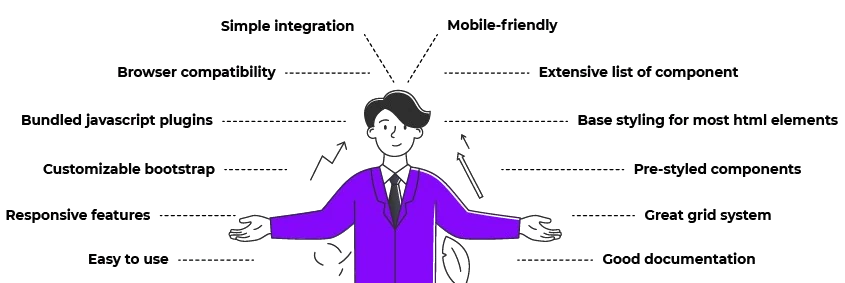
Proficiency in Bootstrap enables developers to create responsive layouts that adapt to various screen sizes, enhancing user experience across devices. Its well-documented codebase, grid system, and extensive component library accelerate development, promote code reusability, and ensure seamless integration with popular frameworks like React and Angular, making it a desirable skill in the IT job market.
Following Key Topics to Cover in Web Development with Bootstrap-
10 Modules · 1.5 Weeks
-
- What is Bootstrap?
- Advantages of Bootstrap
- Getting Started with Bootstrap
- Bootstrap Grid System
-
- Containers
- Grid System (Rows, Columns)
- Responsive Design
- Utility Classes
-
- Typography
- Tables
- Forms
- Buttons
- Alerts
- Badges and Labels
- Progress Bars
- Icons
-
- Navbar
- Navs and Tabs
- Breadcrumbs
- Pagination
- Dropdowns
-
- Carousel
- Modals
- Accordions
- Scrollspy
- Tooltips and Popovers
-
- Spacing Utilities
- Display Utilities
- Flexbox Utilities
- Visibility Utilities
- Text Utilities
-
- Customizing Bootstrap
- Custom Themes
- Customizing Components
- Using Sass with Bootstrap
-
- Bootstrap Datepicker
- Bootstrap Select
- Bootstrap Switch
- Bootstrap Tooltipster
- Bootstrap Table
-
- Integrating Bootstrap with JavaScript Frameworks (jQuery, Angular, React)
- Integrating Bootstrap with CMS (WordPress, Joomla)
- Bootstrap and Frontend Frameworks (Foundation, Materialize)
-
- Code Organization and Structure
- Optimizing Performance
- Responsive Design Principles
- Browser Compatibility
Mastering Web Development with Bootstrap is essential for creating responsive and visually appealing websites. This curriculum covers the fundamental topics needed to utilize Bootstrap for building modern web interfaces. By understanding these concepts, you can streamline your development process and create stunning web applications. Best of luck with your learning journey!
Why Should a Student or Professional Learn Bootstrap?
- Easy to Learn: Bootstrap provides a straightforward and consistent syntax, making it easy for beginners to get started with responsive web design.
- Responsive Design: Bootstrap's grid system and responsive classes enable developers to create mobile-first websites that look great on any device.
- Pre-Built Components: Bootstrap offers a variety of pre-designed components such as buttons, modals, and navigation bars, which speed up the development process.
- Customization: Bootstrap is highly customizable, allowing developers to tailor the framework to meet the specific needs of their projects.
- Community Support: Bootstrap has a large and active community that provides extensive documentation, tutorials, and third-party themes and plugins.
- Consistent Design: Using Bootstrap ensures a consistent look and feel across your website, which enhances user experience and professionalism.
By learning Bootstrap, students and professionals can quickly and efficiently build responsive, aesthetically pleasing websites, thereby enhancing their web development skills and career prospects.
Interesting Facts
Bootstrap is one of the most popular front-end frameworks for developing responsive and mobile-first websites. It provides pre-designed components and powerful tools to help developers create attractive, functional web applications efficiently. Here are some interesting facts about Bootstrap:
1. Created by Twitter
Origin Story
Bootstrap was originally developed by Mark Otto and Jacob Thornton at Twitter as a framework to promote consistency across internal tools. It was released as an open-source project in August 2011 and quickly gained popularity in the web development community.
2. Mobile-First Approach
Responsive Design
Bootstrap was one of the first frameworks to embrace a mobile-first approach. This means that it is designed to provide a seamless experience on mobile devices before scaling up to larger screens, ensuring responsiveness across all device types.
3. Pre-Built Components
Reusable Code
Bootstrap includes a variety of pre-built components such as buttons, forms, navigation bars, and modals. These components save developers time by providing a consistent, clean design that can be customized as needed.
4. Grid System
Flexible Layouts
Bootstrap’s 12-column grid system is a powerful tool for creating flexible and responsive layouts. It allows developers to easily align and organize content in a grid format, making it easier to create complex designs that adapt to different screen sizes.
5. Extensive Documentation
Comprehensive Guides
Bootstrap’s extensive documentation is one of the reasons for its widespread adoption. The documentation provides clear examples, explanations, and code snippets, making it easy for both beginners and experienced developers to use the framework effectively.
6. Customization Options
Tailored Design
Bootstrap is highly customizable. Developers can use the built-in customization tools or modify the source code directly to create a unique look and feel that aligns with their project’s requirements.
7. Cross-Browser Compatibility
Consistent Experience
Bootstrap is designed to work seamlessly across all modern browsers, including Chrome, Firefox, Safari, and Edge. This ensures that web applications built with Bootstrap look and function consistently across different platforms.
8. Large Community and Ecosystem
Community Support
Bootstrap has a large and active community that contributes to its development, creates themes, and builds extensions. This ecosystem provides a wealth of resources, including plugins and templates, to enhance and extend the framework’s capabilities.
9. Easy Integration
Smooth Integration
Bootstrap can be easily integrated into existing projects, regardless of the technology stack being used. Whether you're working with HTML, CSS, JavaScript, or a front-end framework like React or Angular, Bootstrap can be included to provide immediate styling and responsive features.
10. Regular Updates
Continuous Improvement
Bootstrap is regularly updated to address bugs, introduce new features, and ensure compatibility with the latest web standards. This makes it a reliable and future-proof choice for web development.
Training Program Fee
Get Personalized Career Guidance
Our admissions team specializes in helping students choose the right career path for their goals.